

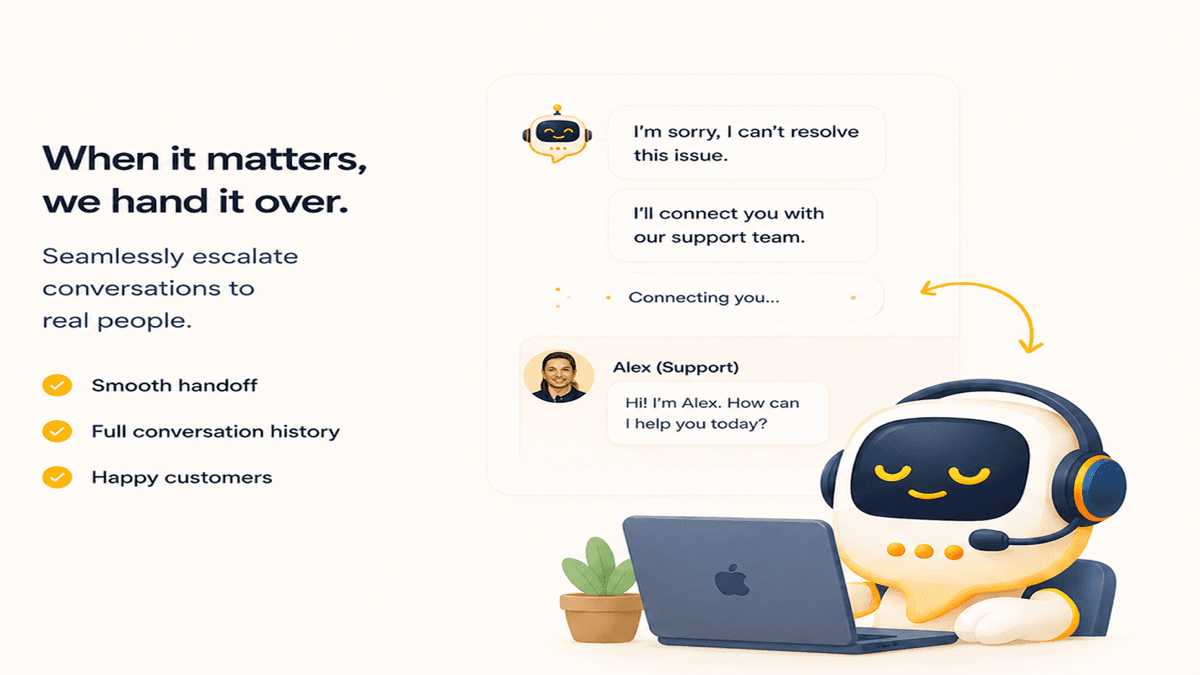
The question is not whether your chatbot should hand off to a human. It should. The question is when — and what the experience looks like on both sides of that moment.
Get the handoff wrong in either direction and you have a problem. A bot that escalates every third message defeats the purpose of having one. A bot that stubbornly tries to answer everything — including complex complaints, account-specific issues, and situations where a customer is visibly frustrated — does real damage to trust and to your brand.
The four situations that always need a human
Some conversation types should route to a human immediately, regardless of how capable your AI is. These are not edge cases — they come up every day in any support operation:
- Account-specific problems — billing disputes, order refunds, subscription cancellations. These require access to your internal systems and often involve judgment calls that should not be automated.
- Explicit frustration signals — a customer who types "this is ridiculous" or "I want to speak to someone real" is asking you to take them off the bot. Honor it immediately.
- Legal or compliance inquiries — anything touching personal data requests, regulatory complaints, or formal grievances needs a human and a paper trail.
- Ambiguous or multi-part problems — if after two clarification attempts the bot still cannot confidently identify what the customer needs, that is the escalation signal.
How the handoff actually works in Promptly
When a handoff is triggered — either by the bot's own logic, by the customer requesting one, or by a rule you've set — a few things happen simultaneously.
First, the customer sees a message: "I'm connecting you with a member of our team — they'll be with you shortly. You can keep the conversation open here." This sets the right expectation: a human is coming, but not necessarily in the next thirty seconds.
Second, the conversation appears in your team's agent dashboard with three things attached: the full transcript of what happened with the bot, the bot's best guess at what the customer needs, and any internal notes the bot tagged (for example, "customer mentioned this is their third contact about this issue"). The agent does not start from zero.
Internal notes: context that travels with the conversation
One of the more underappreciated features of a well-designed escalation system is the internal note layer. These are notes that the bot and your agents can add to a conversation that are visible to your team but not to the customer.
The bot uses internal notes to record context it detected during the conversation: sentiment signals, the specific problem category it classified the issue as, and any relevant facts the customer mentioned. When an agent opens the escalated conversation, the note is the first thing they see — it functions like a briefing from the bot.
Agents can also write internal notes for each other: "Customer is on annual plan, offer 10% retention discount if needed." These notes persist across sessions, so if the same customer comes back tomorrow with a follow-up, any agent can see the history.
Why hybrid wins every time
The naive framing is "bot vs. human." The reality is that they are good at completely different things. A bot is infinitely patient, available at 3am, never has a bad day, and can look up information across thousands of documents in under a second. A human can read emotional subtext, exercise judgment, and create genuine connection in a way no current AI can replicate.
The winning setup is a bot that handles the 70% of conversations that follow predictable patterns — FAQ lookups, order status checks, product questions, account how-to's — and routes everything else to a human with full context already loaded. Your support team spends its time on the interesting, high-value problems instead of answering the same seven questions for the hundredth time this week.
Promptly is built around the idea that escalation should be seamless — for customers and agents alike. The Escalation module gives you the full agent dashboard, transcript handoff, and internal notes. Try it during your trial.